The Bureau recommends keeping your system drivers and DirectX components current before launch.
How to Activate a Product on Steam
Launch the Steam client on your computer.
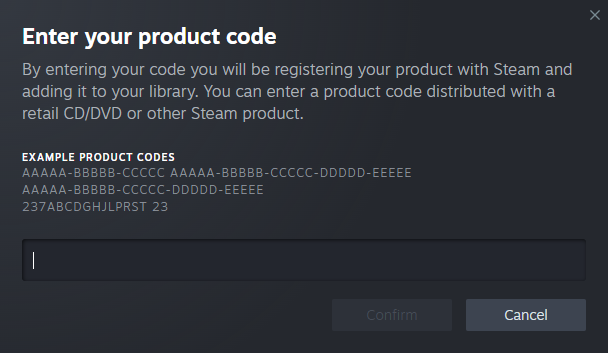
Click on “Games” in the top-left menu and select “Activate a Product on Steam.”
Follow the on-screen instructions and enter your product code when prompted.
Click Next and accept the terms of service if required.
CONTROL Ultimate Edition will be added to your library and can be downloaded and played.
Support
If you encounter issues, refer to Steam’s Activation Support.
For account or purchase issues, please refer to Steam Support.
Contact Player Support
If you have questions or continue to encounter problems, and the issue persists, you can contact our support team for technical assistance.
- Open the Remedy Help Center. Go to remedy.helpshift.com and click the chat bubble in the lower‑right corner to start a ticket.
- Describe your issue. Select Bug Reports, Game Froze/Crash, or the most relevant option, and answer the bot’s questions. Be sure to include your email address, platform (Steam, PlayStation, Xbox, Switch, etc.), User ID, screenshot/video, and a clear description of what went wrong.
- Provide additional details. Player Support may ask you for additional files or info that may help with your issue, such as Error Code/Message, DxDiag, or MSInfo.
For comprehensive bug‑reporting instructions, refer to How to Report Bugs & Crashes - CONTROL Ultimate Edition in our Remedy Technical Support and Help Center.